
Choosing a laptop charger shouldn't be left to chance. An unsuitable power supply may cause charging problems, overheating or even damage to electronic components. Fortunately, finding the right model doesn’t have to be difficult. You simply need to know a few essential specifications and check which charging options your laptop supports.
01 / THE BASICS
When do you need a new laptop power supply?
Laptop power supplies are everyday accessories that can wear out, get lost or simply no longer provide enough power for the way you work. Since remote working became more widespread, demand for spare and replacement chargers has grown considerably. Conventional power supplies are gradually giving way to modern universal chargers, as newer laptops increasingly support charging via USB-C. This standard has become so widespread that it is now subject to EU common-charger requirements for new laptops. Nevertheless, many older models still need a conventional round-barrel power connector.
Original laptop power supply or a replacement?
Dedicated power supplies are usually supplied with the laptop and provide excellent compatibility and a high level of safety. Original chargers from manufacturers such as Lenovo, HP, Dell, Asus, Acer, Samsung, Toshiba, Sony, MSI, Fujitsu Siemens, IBM, Compaq, Packard Bell and Apple are designed to match the electrical and mechanical requirements of the device. However, manufacturer-branded chargers are often more expensive and can be difficult to find for older models.
When is a replacement worth considering?
• When the original charger is very expensive or no longer available.
• When you need a second charger – for example, one for home and another for the office.
• When you would prefer a universal USB-C solution rather than searching for a proprietary plug.
• When you want a smaller laptop charger that is easy to take with you.
02 / CHOOSING A CHARGER
How to choose a laptop charger step by step
Start by identifying the exact laptop model and checking its power requirements. You can find this information on the laptop casing, on the original charger’s rating label or in the manufacturer’s documentation. If you no longer have the old charger, search for the specifications using the laptop’s full model name. For Lenovo, Dell, HP, Acer and ASUS laptops, the series name alone may not be sufficient, as different configurations of the same model may need different power ratings.
03 / SPECIFICATIONS
Voltage, current and wattage – which specifications should you check?
Every laptop charger has defined electrical specifications. The most important are output voltage, maximum current and power rating in watts. For a conventional charger, the output voltage must match the device requirements. Current indicates how much electricity the charger can supply, while wattage describes its maximum power output. It is also worth checking the input voltage: most modern mains chargers support 100–240 V AC, so they can be used in different countries.
| Specification | What does it mean? | How to choose |
|---|---|---|
| Voltage (V) | Output voltage | Must match the laptop requirements |
| Current (A) | Maximum current | Must be equal to or greater than required |
| Power (W) | Power output | Should not be below the recommended rating |
A higher-wattage power supply does not overload your laptop – your laptop only draws as much power as it needs. That is why a compatible 90 W charger can safely replace a 65 W power supply, and a 140 W model can replace an original 100 W unit, provided all other specifications are compatible. Having spare power capacity may also help the charger run cooler.
For USB-C Power Delivery (PD), check the supported voltage profiles, such as 5 V/3 A, 9 V/3 A, 15 V/3 A, 20 V/5 A (100 W) or 28 V/5 A (140 W). These chargers generally accept 100–240 V AC input, making them suitable for use in most countries.
04 / COMPATIBILITY
Laptop connector types – round, rectangular and USB-C
Connector type is one of the most important factors when choosing a conventional laptop charger. Many different plugs are available, varying in diameter, shape and construction. The Akyga® range includes as many as 26 different laptop plug types. They include connectors used by HP, Dell, Lenovo, Acer, ASUS, Toshiba and Samsung, as well as older Fujitsu Siemens, Sony, IBM, Compaq and Packard Bell devices.

The most common connector types:

5.5 × 2.5 mm – selected ASUS and Toshiba laptops and older Acer models.

4.5 × 3.0 mm with centre pin – found on various HP and Dell laptops.

7.4 × 5.0 mm with centre pin – used by some older HP and Dell laptops.

Slim Tip – a rectangular connector used on selected Lenovo laptops.

Magnetic power connectors – used by certain generations of Apple laptops and some other devices.

USB-C – a popular solution found on newer laptops from a range of manufacturers.
Even within one manufacturer’s range (such as HP or Dell), plug shape and size may differ between series. It is therefore worth comparing a new charger with the original or measuring the socket with callipers. Connector polarity also matters. On conventional power supplies, the positive contact is often in the centre. Never use a plug with reversed polarity.

Polarity symbol – positive centre
05 / A NEW STANDARD
USB-C laptop chargers – when can they replace a conventional power supply?
With USB-C charging, the physical connector is standardised, but compatibility depends on the charger’s output and whether the laptop supports Power Delivery. USB Power Delivery allows the charger and device to communicate, automatically negotiating voltage and current within their supported profiles. This is a major difference from conventional DC power supplies, which generally provide a fixed output voltage.
A single USB-C laptop charger can power several devices, including a computer, smartphone and tablet. However, not every USB-C port supports laptop charging. The laptop must accept power through the port, and the charger must offer a suitable power rating and profile.
One standard, multiple devices
A single compact high-power charger (65–200 W) can now supply a laptop, smartphone or tablet, so there is no need to carry several separate power supplies. It is a convenient solution for both daily work and travel, provided the devices support USB-C charging and the electrical specifications are compatible.
More power in a smaller package
GaN (gallium nitride) technology allows chargers to be miniaturised, making high-power units much smaller and lighter than they were a few years ago. It is no surprise that universal solutions are increasingly popular: they help reduce the number of chargers you need to carry and the weight in your bag.
06 / ADAPTER SOLUTIONS
Laptop charging adapters – how can you connect USB-C to a conventional power supply?
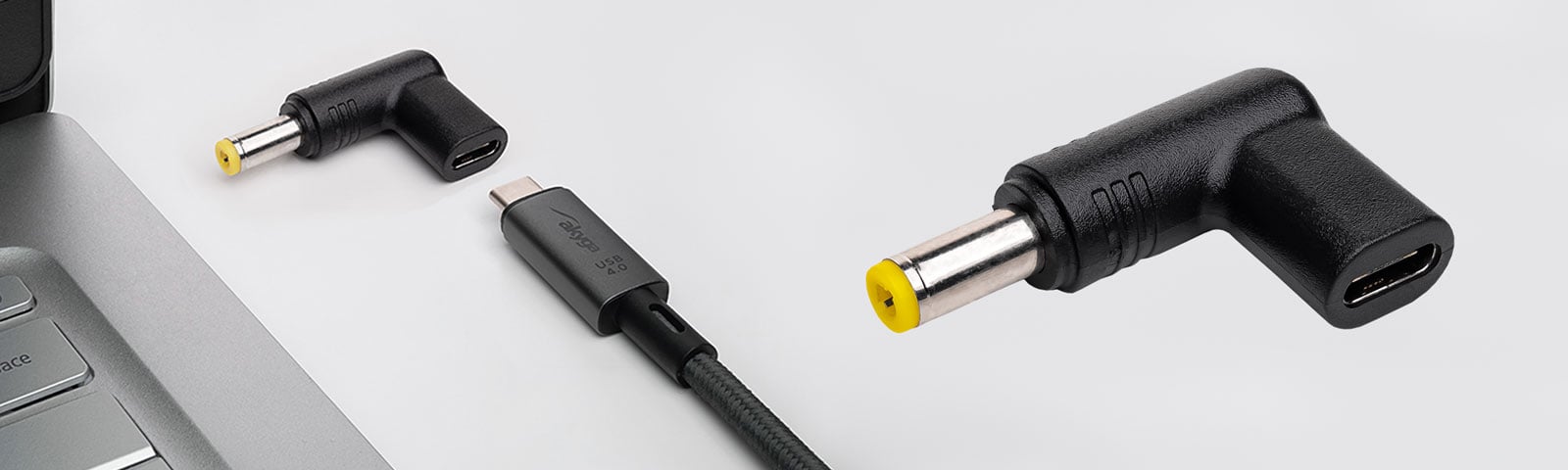
What if your older laptop has a conventional power socket but you only have a USB-C charger? Or the other way round: you have a perfectly good traditional laptop power supply, but your new device uses USB-C? Laptop charging adapters can help bridge these different power connections without the need to purchase another charger. Akyga® offers solutions for both scenarios.
USB-C charger → laptop with DC socket
Akyga® AK-ND-C series adapters allow a compatible USB-C Power Delivery charger to power a laptop with a conventional DC socket. This is a practical option for people with older notebooks who want to use modern, compact GaN chargers. Instead of carrying separate chargers for a laptop and smartphone, you can use one USB-C charger with the appropriate adapter.
DC power supply → USB-C device
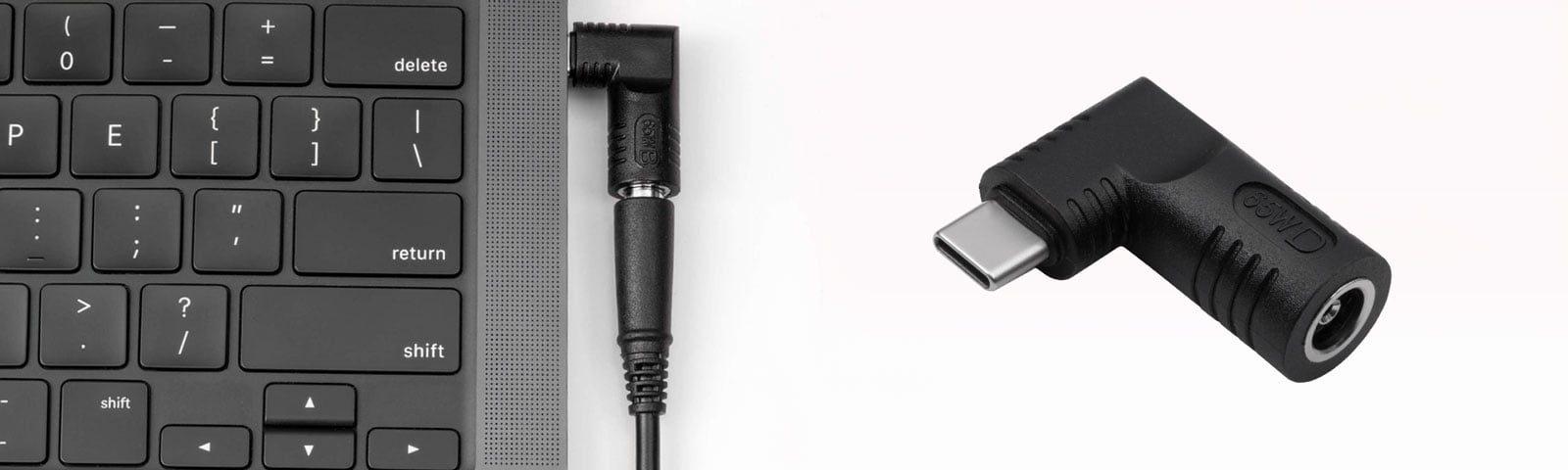
Akyga® AK-ND-D series adapters work in the opposite direction. They let you use a suitable traditional power supply with a DC plug to power a compatible device through USB-C. This gives working chargers left over from older laptops a new use. In both cases, check the power rating, voltage, connector type and compatibility of the particular adapter with the device. The adapter alone does not guarantee compatibility with every charging standard.
07 / PRODUCT OVERVIEW
What USB-C charger wattage should you choose to power all your devices?
The appropriate wattage depends primarily on your laptop’s power requirements. A 45–65 W charger is often enough for a lightweight ultrabook, while more powerful laptops may need 90–100 W or more. A multi-port 140 W laptop charger is especially useful when you have several devices and want fewer chargers on your desk. However, the maximum total output is not the only consideration: check how much power is available from each port.
65 W charger – for laptops and everyday devices
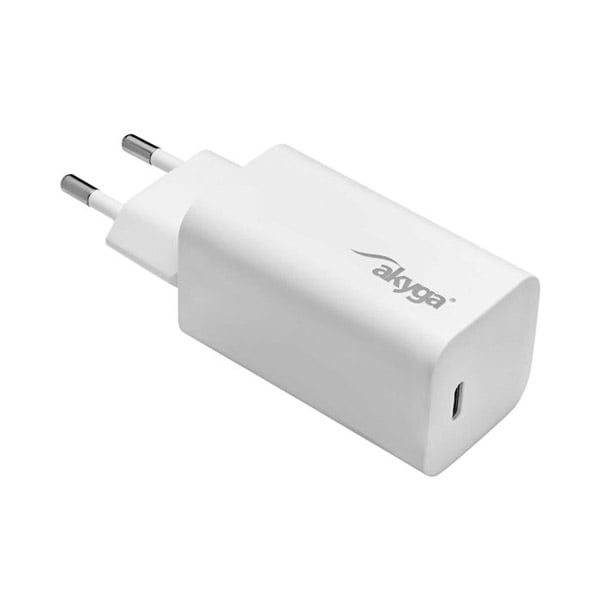
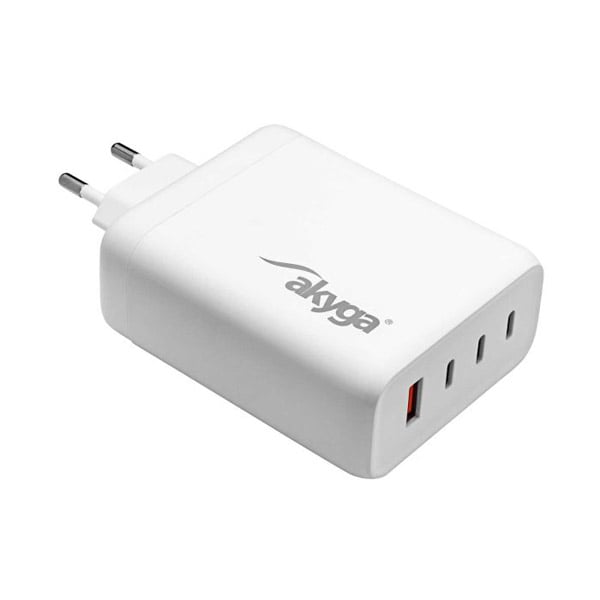
Akyga AK-CH-23 (65 W) – features a USB-C port with Power Delivery 3.0 and supports voltage profiles from 5 V to 20 V, offering up to 65 W of power. GaN technology keeps its weight down to just 81 g and its size compact. It is designed for those looking for a portable charger for compatible ultrabooks, tablets and smartphones. Its small casing slips easily into a bag or rucksack, while built-in safeguards protect connected devices.
100 W charger – more power and versatility
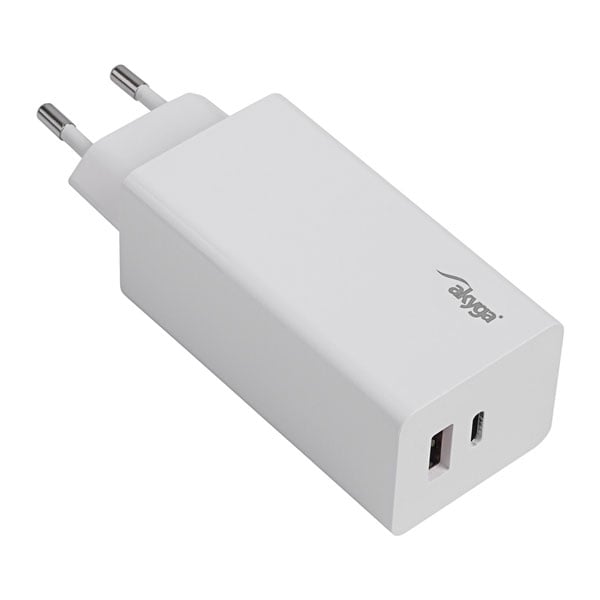
Akyga AK-CH-20 (100 W) – offers a USB-C Power Delivery port supplying up to 100 W, plus an additional USB-A port with Quick Charge 3.0. It can charge a laptop and smartphone without requiring two separate power supplies. When both devices are connected, output power is shared between the ports, so you should consider your notebook’s requirements. Measuring 112 × 39 × 32 mm and weighing 148 g, it is convenient to use at home, in the office and when travelling.
140 W chargers – for working with several devices
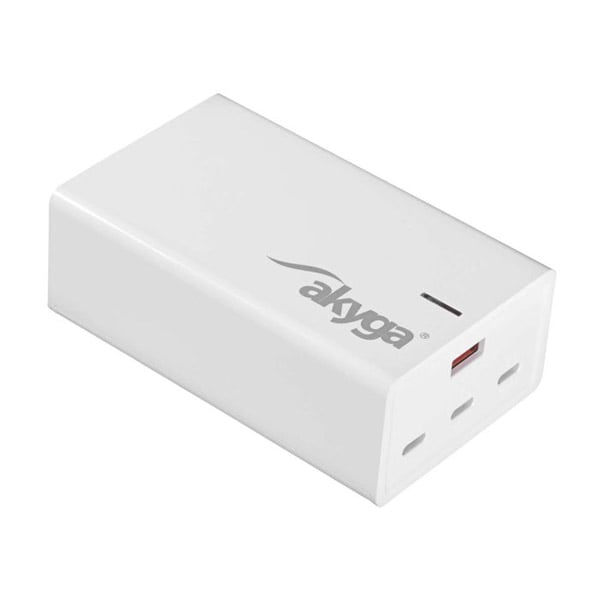
Workstations with several devices – a laptop, USB-C monitor, tablet and phone – need flexible charging options. High-power universal chargers can reduce the number of occupied sockets and cables. Akyga® AK-CH-24 offers three USB-C ports and one USB-A port, with its two main USB-C ports supporting Power Delivery profiles up to 140 W. Meanwhile, Akyga® AK-CH-25 is a desktop model with a similar selection of ports and a detachable IEC C7 mains lead. Both chargers can power several compatible devices, subject to the available power being shared between ports.
Model comparison
| Model | Power | Ports | Suitable for |
|---|---|---|---|
| AK-CH-23 | 65 W | 1× USB-C | Ultrabook, tablet, smartphone |
| AK-CH-20 | 100 W | USB-C + USB-A | Laptop + phone |
| AK-CH-24 | 140 W | 3× USB-C + USB-A | Several devices at once |
| AK-CH-25 | 140 W | 3× USB-C + USB-A | Desktop workstation |
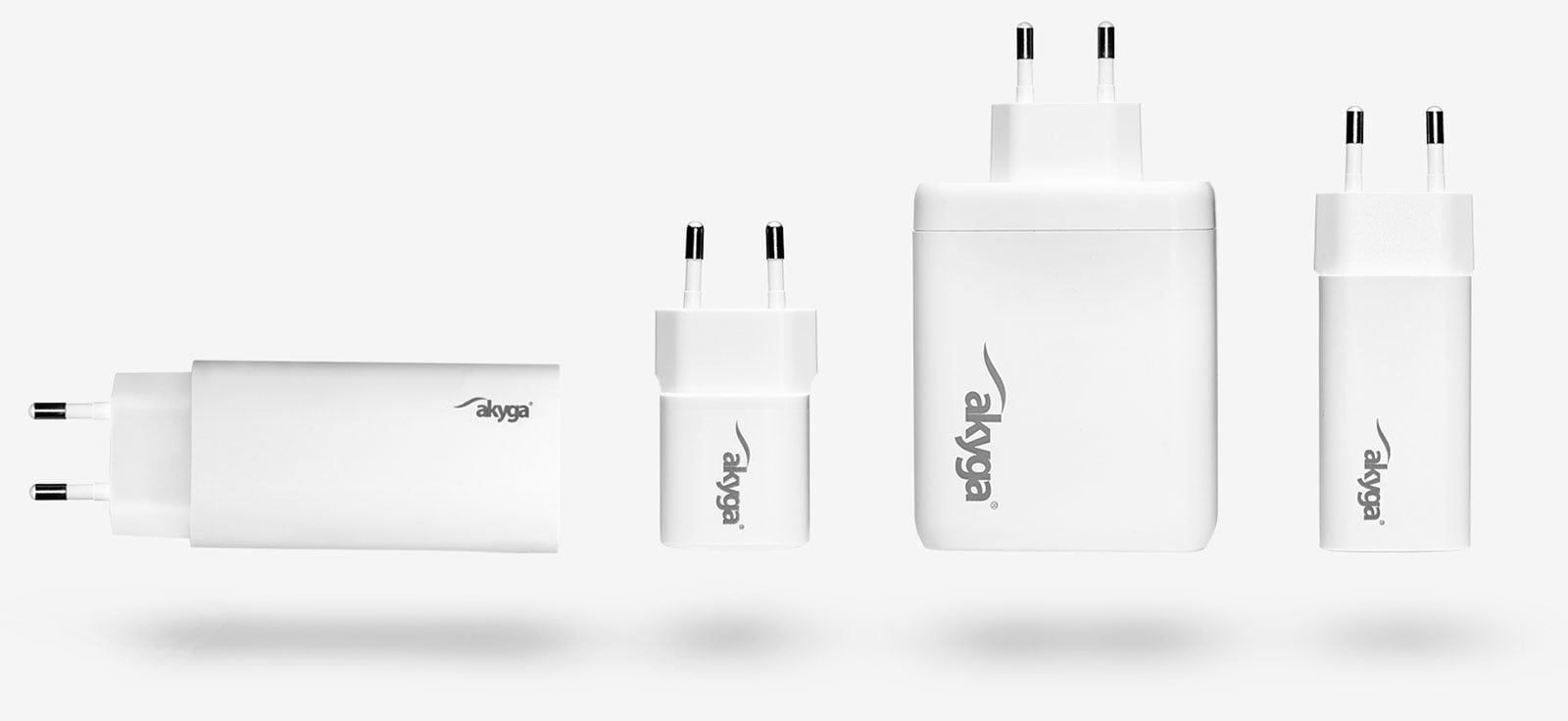
When buying a multi-port charger, check how power is distributed between ports. For example, a charger with a total output of 140 W may not deliver 140 W to a laptop when other ports are also in use. Devices using higher-voltage USB PD profiles also require a suitable cable.
08 / ON THE MOVE
In-car laptop charger – power on the move
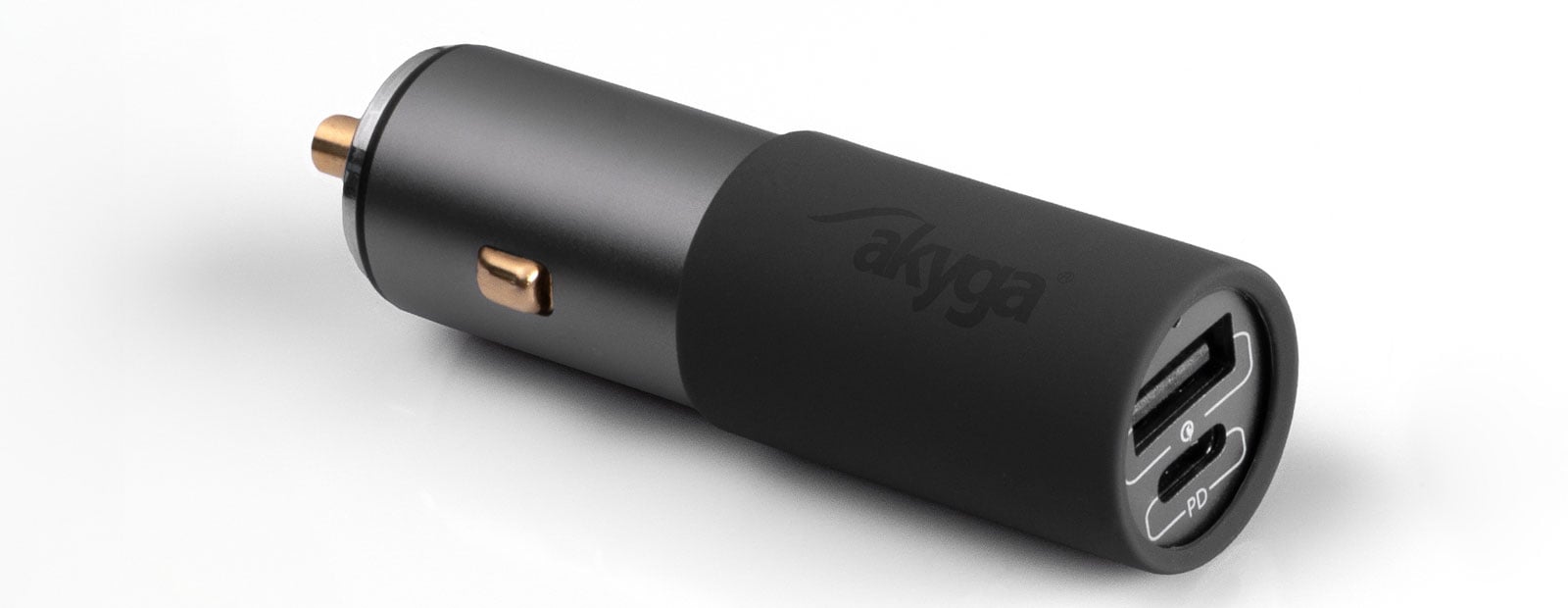
A car charger with USB-C Power Delivery is useful for business trips, working in the field or travelling in a campervan. The Akyga® AK-CH-26 provides up to 100 W of power through its USB-C port, plus an additional USB-A connector with Quick Charge. It can power a compatible laptop directly from a vehicle’s 12 V or 24 V electrical system, provided the socket can supply the necessary power. This is a practical alternative to small car chargers designed only for phones.
09 / SAFETY
Safety, durability and practical charger care tips
Even a correctly specified power supply needs to be used sensibly. Chargers should offer basic protections: OVP (overvoltage protection), OCP (overcurrent protection), OTP (overtemperature protection) and SCP (short-circuit protection).
How can you extend the life of your charger? Avoid sharply bending the cable near its connectors, do not cover the power supply while it is running (it needs ventilation), avoid damp environments and regularly inspect the cable and plug.
Cheap, unbranded power supplies without the appropriate compliance documentation may have poorer filtering and protection, increasing the risk of overheating or damaging a laptop. When choosing a charger, check its safety and compliance information, including relevant CE, FCC and RoHS markings. When using one high-power USB-C charger for multiple devices, choose good-quality USB-C cables rated for 100–140 W (with appropriate e-marker support for 5 A cables).
EU common-charger rules are extending to laptops from 2026, further increasing the availability of USB-C-compatible charging solutions.
10 / FAQ
Frequently asked questions
Can I use a charger with a higher wattage than the original?
Yes. A charger may have a higher wattage (W) than the original power supply, provided the voltage (V) matches and the available current (A) is not lower than required. The laptop regulates its own power draw, so a compatible 90 W charger can safely replace a 65 W unit. Similarly, a 140 W USB-C charger can replace an original 100 W charger, subject to compatibility, offering additional capacity and potentially running cooler. With conventional fixed-voltage chargers, the voltage must match the laptop’s requirements.
Will any USB-C charger charge my laptop?
No. The laptop must support USB-C Power Delivery, and the charger must provide sufficient wattage and an appropriate voltage profile (for example 20 V/3.25–5 A). Smaller 18–30 W chargers are mainly intended for smartphones and tablets. Many laptops require at least 45–65 W, while more powerful machines may need 90–200 W.
Can I charge a laptop and phone at the same time using one charger?
Multi-port GaN chargers (such as AK-CH-20, AK-CH-24 and AK-CH-25) can charge several devices at once. However, the total available power is shared between ports. Check the specifications to see how much power is available to the laptop’s port when other devices are connected. A common arrangement for a laptop and phone is 65 W (USB-C) plus 18–30 W (USB-A). Contact our customer service team if you are unsure how power is allocated.
What should I do if I have lost the original power supply and do not know its model?
Find the rating label on the underside of your laptop and note its specifications (for example 19 V, 3.42 A), along with the exact notebook model. Use these details to search for a compatible charger by electrical specifications and plug type. If your laptop supports USB-C Power Delivery charging, you can choose a universal USB-C charger. You could also consider laptop charging adapters, which allow different types of power supplies to be used. The AK-ND-C series lets you charge laptops with a conventional power socket from a USB-C PD charger, while AK-ND-D enables a suitable older DC power supply to power compatible USB-C devices. Always check voltage, wattage and connector compatibility.
Is a 100 W car charger enough to run a laptop while travelling?
For many USB-C ultrabooks and office laptops, 65–100 W is sufficient for working and charging at the same time. It may not be enough for high-performance workstations supplied with 130–180 W adapters, although it may still help maintain the battery charge level. Check whether your laptop reduces performance when supplied with limited power, as many models automatically adjust their operation to match the available wattage.